STM32N6570-DK
Rev.C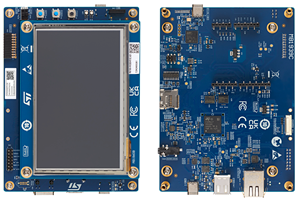
-
Core
Cortex-M55
-
Debug interfaces
JTAG/SW
ST-Link
-
Device
STM32N657X0HxQ -
CMSIS Pack
STM32N6570-DK_BSP
STM32N6570-DK Discovery board
Overview
The STM32N6570-DK Discovery kit is a complete demonstration and development platform for the Arm® Cortex® M55 core based STM32N657X0H3Q microcontroller.
The STM32N6570-DK Discovery kit includes a full range of hardware features that help the user evaluate many peripherals, such as USB Type-C®, Octo SPI flash memory and Hexadeca SPI PSRAM devices, Ethernet, camera module, LCD, microSD™, audio codec, digital microphones, ADC, flexible extension connectors, and user button. The four flexible extension connectors feature easy and unlimited expansion capabilities for specific applications such as wireless connectivity, analog applications, and sensors.
The STM32N657X0H3Q microcontroller features one USB 2.0 high speed/full speed Device/Host/OTG controller, one USB 2.0 high speed/full speed Device/Host/OTG controller with UCPD (USB Type-C® Power Delivery), one Ethernet with TSN (timesensitive networking), four I2Cs, two I3Cs, six SPIs (of which four I2S capable), two SAIs, with four DMIC support, five USARTs, five UARTs (ISO78916 interface, LIN, IrDA, up to 12.5 Mbit/s), one LPUART, two SDMMCs (MMC version 4.0, CE-ATA version 1.0, and SD version 1.0.1), three CAN FD with TTCAN capability, JTAG and SWD debugging support, and Embedded Trace Macrocell™ (ETM).
The STM32N6570-DK Discovery kit integrates an STLINK-V3EC embedded in-circuit debugger and programmer for the STM32 MCU, with a USB Virtual COM port bridge and the comprehensive MCU Package.
Getting started
ST-LINK driver installation and firmware upgrade (on Microsoft Windows)
- Download the latest ST-LINK driver.
- Extract the archive and run
dpinst_amd64.exe. Follow the displayed instructions. - Download the latest ST-LINK firmware upgrade.
- Extract the archive and run the
ST-LinkUpgrade.exeprogram. - Connect the board to your PC using a USB cable and wait until the USB enumeration is completed.
- In the ST-Link Upgrade program, press the Device Connect button.
- When the ST-LINK driver is correctly installed, the current ST-LINK version is displayed.
- Press the Yes >>>> button to start the firmware upgrade process.